 BitLocker was Microsofts first move into full disk encryption with support included in Windows Vista. Since then BitLocker has evolved and improved into a great software based full disk encryption solution. New for Windows 7 is support for removable disks. Using BitLocker on a removable USB flash drive provides a great way to protect your data in the event the drive was lost or stolen.
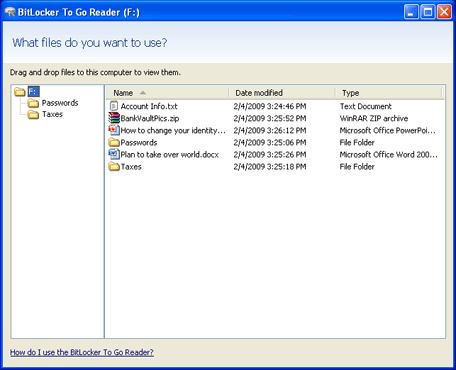
Not only will your data always be protected but it is possible to access your data on Windows XP and Vista through a read-only interface that is installed during the initial encryption. Now you are able to get your data anywhere, not just on your Windows 7 computer.
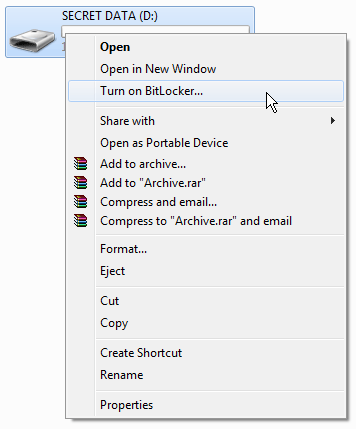
To get started you will need to plug in your USB flash drive and open Computer so you can view all your drives. Then, right click on your drive and select Turn on BitLocker.
Next, pick how you want to protect the drive. Set a password or use a smart card if your device has a smart card reader.
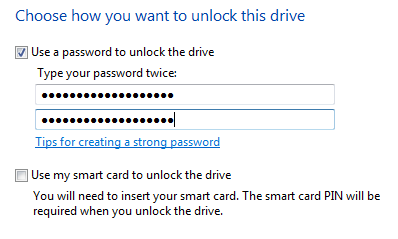
Click Next to continue.
It is a good idea to backup your recovery key so that you can always retrieve data in the event you forget your password.
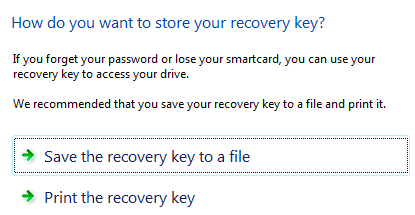
Click Next to continue and then click Start Encrypting.

Encryption will now start. Depending on the size of your USB flash drive it can take a while. It took 14 minutes for my 2 GB drive.
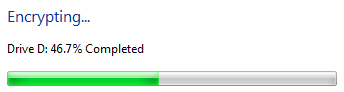
When encryption is completed your drive is now protected.
Using BitLocker encrypted USB flash drive on another computer
When you plug your USB flash drive into a different computer it will still show up in Computer but the drive will have a different icon.
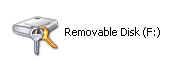
When you click on the drive it will ask you for the password.
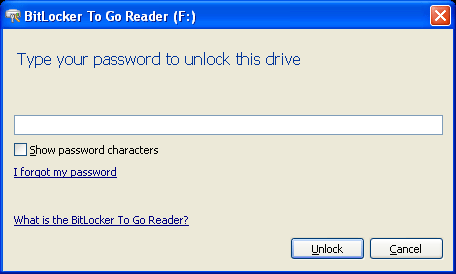
Once authenticated, you will be see the special read-only interface where you can extract files off the encrypted USB flash drive.