Would you like to customize your logon screen? The Tweaks.com Logon Changer is a free utility designed to help users easily customize the logon image in Windows 7 and the default lock screen image and colors in Windows 8. Fully automated, the Tweaks.com Logon Changer will have your logon customized with just a few clicks.
Windows 10 Features
The Tweaks.com Logon Changer for Windows 10 provides an easy way to customize the default lock screen image.
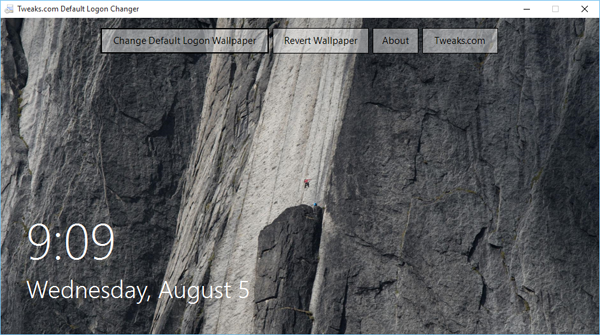
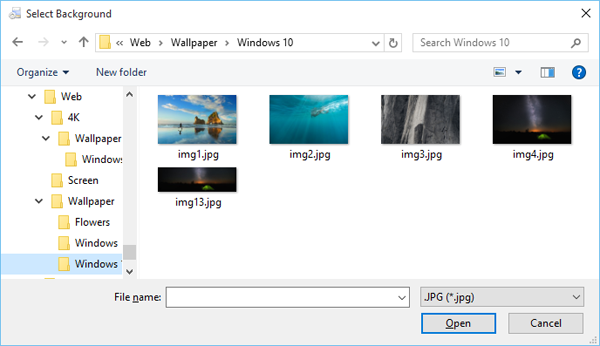
Just hit the Change Default Logon Wallpaper button, select a new image and the free utility does the work behind the scenes.
Additional Features
- Automatic image resize so large images don't slow down your logon.
- Automatic Image Backup with one click revert action buttons.
Windows 8 Features
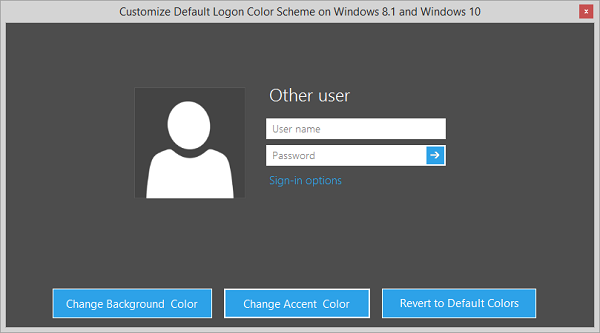
The Tweaks.com Logon Changer for Windows 8 and Windows 8.1 provides an easy way to customize the default lock screen image and customize the colors of the default logon screen.
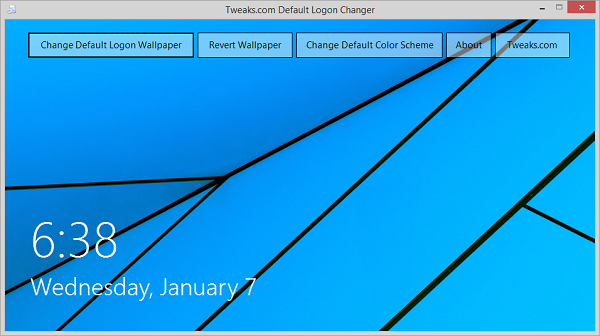
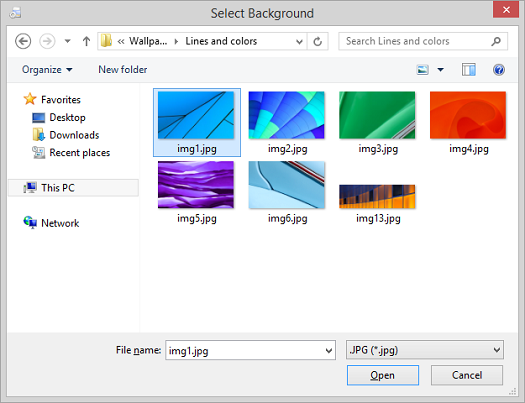
Just hit the Change Default Logon Wallpaper button, select a new image and the free utility does the work behind the scenes.
Easily customize the default logon screen background and accent colors by clicking on the Change Default Color Scheme button.
Additional Features
- Automatic image resize so large images don't slow down your logon.
- Automatic Image Backup with one click revert action buttons.
Windows 7 Features
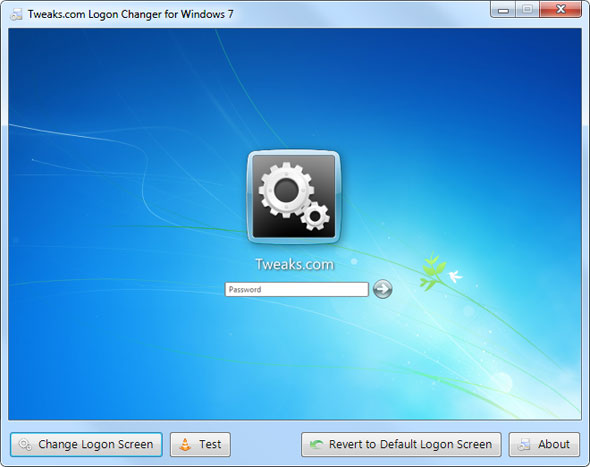
The Tweaks.com Logon Changer for Windows 7 provides an easy way to customize the logon screen background with just a few clicks. Simply download the free application, run it, and click Change Logon Screen.

The application will prompt for the location of the new background image and then install the new screen behind the scenes. Tweaks.com Logon Changer will even provide a preview of your new background on a logon screen.


When you have settled on a good logon background, click the Test button to see it in action.
Additional Features:
- Automatic Image Resize - Don't worry about the 245KB file size limit imposed by Microsoft. The Tweaks.com Logon Changer will give you the option to automatically resize and recompress the image to the highest quality possible. The original image is left untouched.
- Automatic Image Backup - All OEM backgrounds and any previously used backgrounds are automatically backed up when a logon background is changed.
- If you want the default Windows 7 logon screen back, just click the revert button and the application will automatically undo all customizations.
Download Tweaks.com Logon Changer
The Tweaks.com Logon Changer is designed for Windows 7, Windows 8.0, Windows 8.1 and Windows 10.
- Direct Download from Tweaks.com (Version 3.1)
- Download from CNET Download.com (Version 3.1)
Change Log
- Version 3.1 - 1/29/2016
-
- Fixed permission issue false positive on non-English language PCs
- Version 3.0 - 8/5/2015
- Windows 10 Support
- Version 2.0 - 1/10/2015
- Updated to support Windows 8, Windows 8.1, and beta support for Windows 10
- New color scheme features for Windows 8 and newer
- New MSI Installer
- Version 1.2 - 2/27/2010
- Improved compatibility with OEM backgrounds
- Automatic image backup
- Version 1.1 - 3/25/2009
- Automatic image resizing and compression
- Memory improvements
- Notification tweaks
- Version 1.0 - 3/17/2009
- Launch Release
- New Aero glass interface
- Bug fixes