Wouldn’t it be great to easily shut down or restart your computer with a simple keystroke? Well now you can! You know about “Ctrl, Alt, Delete”, but what about “Ctrl, Alt, END”?
Here's how it's done. The instructions are quite simple, and as long as you follow along, this should be rather painless! Please follow step by step!
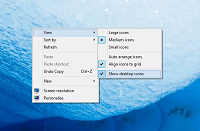
- Right click on your desktop. Go to new, and then click on shortcut.
- A window comes up. Type in “shutdown” (without quotes) add a space and enter one of the following commands.
*I GIVE THE FOLLOWING CREDIT TO
Eric Greveson, who posted how change shutdown settings below.
Usage: shutdown [-i | -l | -s | -r | -a] [-f] [-m \computername] [-t xx] [-c "comment"] [-d up:xx:yy]
-i Display GUI interface, must be the first option
-l Log off (cannot be used with -m option)
-s Shutdown the computer
-r Shutdown and restart the computer
-a Abort a system shutdown
-m \computername Remote computer to shutdown/restart/abort
-t xx Set timeout for shutdown to xx seconds
-c "comment" Shutdown comment (maximum of 127 characters)
-f Forces running applications to close without warning
-d [u][p]:xx:yy The reason code for the shutdown
u is the user code
p is a planned shutdown code
xx is the major reason code (positive integer less than 256)
yy is the minor reason code (positive integer less than 65536)
- (Continuation) a good example of a shutdown line would read as follows:
“shutdown -s -t 0” (of course, without the quotes)
This tells the computer to run the shutdown program, and to shutdown the computer (marked by –s). The timer is set to zero, which will shut down the computer instantly (marked by –t 0)
-
After you have created your customized shutdown command, click next. Enter a name for it and hit finish
-
Right click on the shortcut you just created, and go to properties.
-
Note where it says “Shortcut Key”. Enter your combination here. I recommend “Ctrl, Alt, END” as stated before, but the choice is purely up to you.
-
Click OK. Your shutdown string is now effective! Just hit that key combination and your computer is off!
Happy Tweaking!
-- Devsforev