If you are curious about how long your Windows PC has been running since power on or the last reboot, this guide is for you. Refer to the instructions below for your version of Windows.
Windows 10 & Windows 11
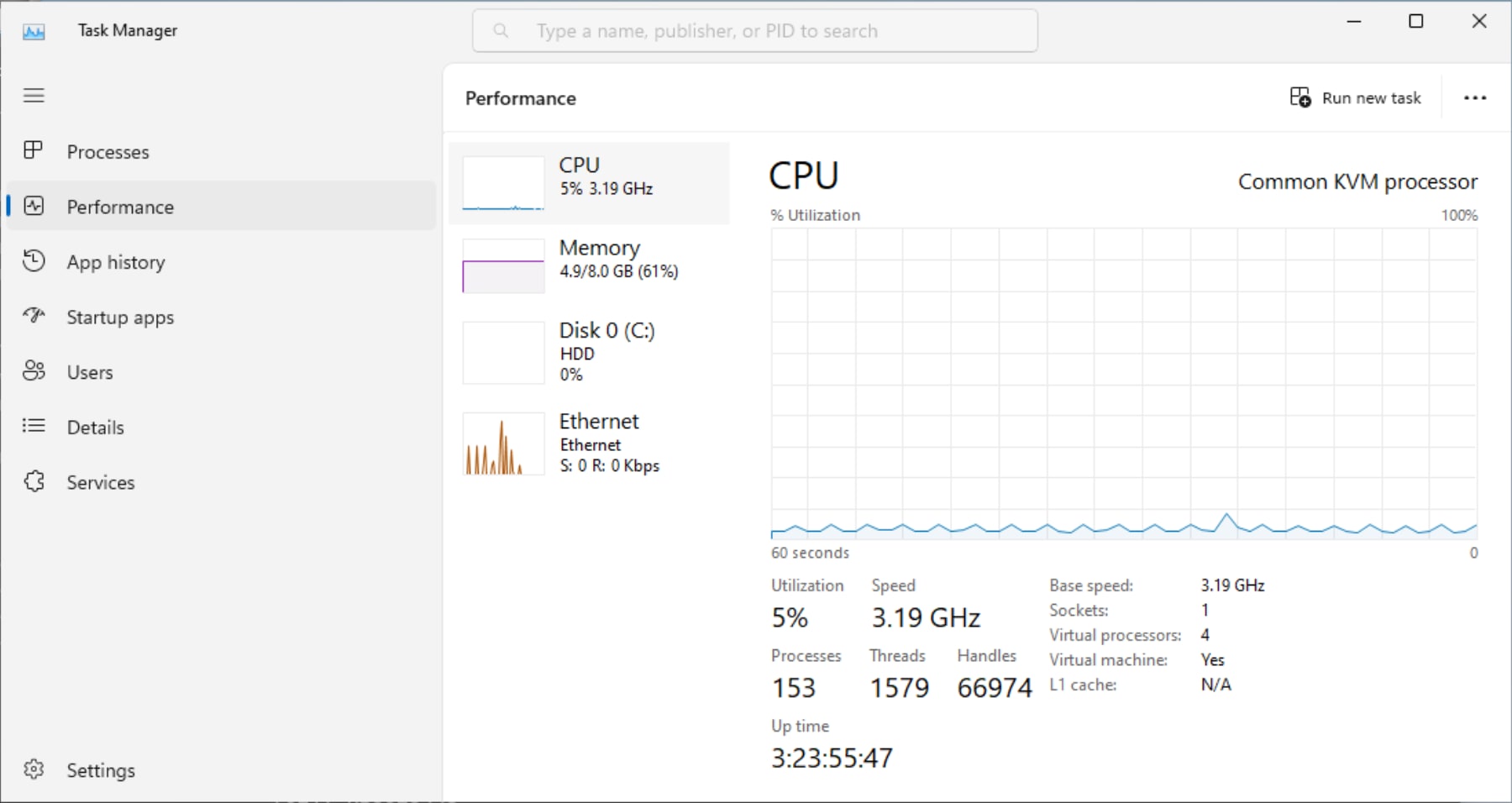
Simply open up Task Manager by clicking on the Start Button, type in taskmgr, and it Enter OR use the keyboard shortcut Ctrl + Shift + Esc.
Once Task Manager is open click on the Performance tab/section and your "Up time" will be visible near the bottom left of the screen in the following format:
Days:Hours:Minutes:Seconds
Windows 8, 8.1, 7, Vista
- Open up Command Prompt by clicking on the Start Button and key in
cmdand hit Enter. - Type in
systeminfoand hit Enter. Then, review theSystem Boot Timefield and do subtraction.
Windows XP
- Open up Command Prompt by clicking on the Start Button and type in
cmdand hit Enter. - Type in
systeminfoand hit Enter and check out the uptime field (you may need to scroll up as systeminfo provides a lot of useful info).
Bonus Powershell Method (for modern versions of Windows)
- Click on the start button, type in PowerShell and hit Enter.
- At the PowerShell prompt, key in
(get-date) - (gcim win32_operatingsystem).lastbootuptimeand hit Enter. No math is needed!
PS C:\Users\steve> (get-date) - (gcim win32_operatingsystem).lastbootuptime

Days              : 4
Hours             : 0
Minutes           : 15
Seconds           : 36
Milliseconds      : 351
Ticks             : 3465363515199
TotalDays         : 4.01083740185069
TotalHours        : 96.2600976444167
TotalMinutes      : 5775.605858665
TotalSeconds      : 346536.3515199
TotalMilliseconds : 346536351.5199