
I recently rewrote Tweaks.com using Eleventy (11ty) to build the entire site with static HTML pages moving away from dynamic server pages that powered this site for over 20+ years. This change increases site performance and scales extremely well. There are a few useful tricks I learned along the way, starting with this article about pagination-generated pages missing from the...
Read More
I like to organize my macOS/OS X dock by arranging similar app icons together into groups and then separating the groups visually with spaces using a hidden dock feature called spacer tiles. If you have a lot of apps on your Dock, spacer tiles can make it easier to find the right app quickly and also make your dock look less cluttered.
Read More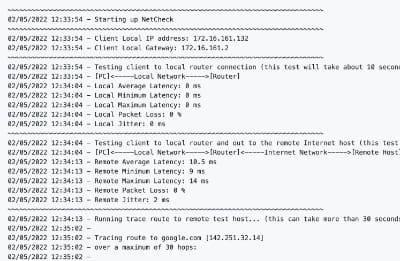
With remote work the new standard, having a fast and quality Internet connection and WiFi has become as important as reliable electricity. And if you work in IT support, confirming an end user's home internet, internal network, and WiFi is healthy without errors is the first step of troubleshooting any slowness or video conferencing issue with Zoom, Webex or Teams.
Read More
This project was created to automatically monitor the AIMS Power 1250W Power Inverter Charger (PICOGLF12W12V120AL) and connected deep-cycle battery(s) via Home Assistant using MQTT and the UART serial port pins of a Raspberry Pi Zero W connected to the inverter...
Read More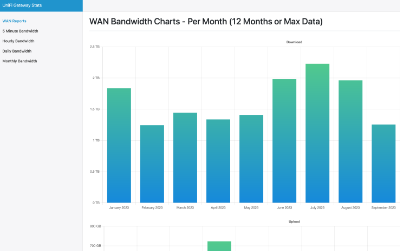
More and more Internet providers are implementing bandwidth caps on home internet services which requires awareness of how much data is downloaded (and uploaded) in your household every month to avoid extra overage fees. If you have invested in the Ubiquiti UniFi network ecosystem, you have a powerful network controller that tracks a lot of useful information...
Read More
Windows 11 introduces a brand new version of Microsoft Teams build for consumers. This can be quite annoying if you are a business customer of Microsoft and use the commercial version of Microsoft Teams. End users can end up with two versions of Teams which can be very confusing. And good luck trying to explain what version of Teams they should be running since they are both called Microsoft Teams.
Read More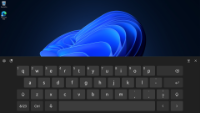
Some users have reported after installing Windows 11 on devices with touch screens the virtual keyboard icon is missing from the taskbar. This can be very frustrating if you have a touch only tablet and you must plug in an external USB keyboard to be able to work. Don't worry, the virtual keyboard functionality is still in Windows, it is just hiding by default upon a new install. Follow these steps...
Read More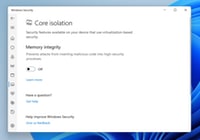
If you purchase a modern Windows 11 PC and really care about your game performance, you may notice the Virtual Based Security (VBS) feature in Windows 11 preventing you from reaching top performance with your hardware. While this is a very important security feature of Windows that isolates critical components from others to prevent your machine from being compromised, if you device is dedicated to...
Read More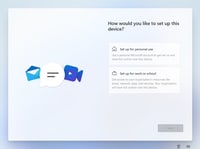
Microsoft really wants you to use a Microsoft Account as your login for Windows 11. In fact, they have hidden the ability to use a local account on most versions of Windows 11 even though it is still technically possible to do so. While on the "How would you like to set up this device?" screen, you will notice that no matter where you click, you are forced to use a Microsoft Account. That is where...
Read More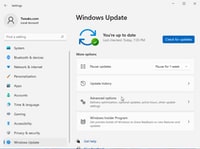
After installing Windows 11, or really any version of Windows, it has become common practice to head over to Windows Update to update and install any drivers for your device. Over the years this has become a valuable technique to get your machine not only running, but with the latest version of drivers to make sure your device is operating at top performance. But after installing Windows 11 on one...
Read More